


Change the way you attend live events!


Who we are…
LiveSycle (LS) is a social platform that creates “Hot Zones” at LIVE sporting events where fans have access to exclusive news and ticketing features. LS facilitates live experience upgrades and provides users the ability to share firsthand information with the world!


Exclusive Features
-
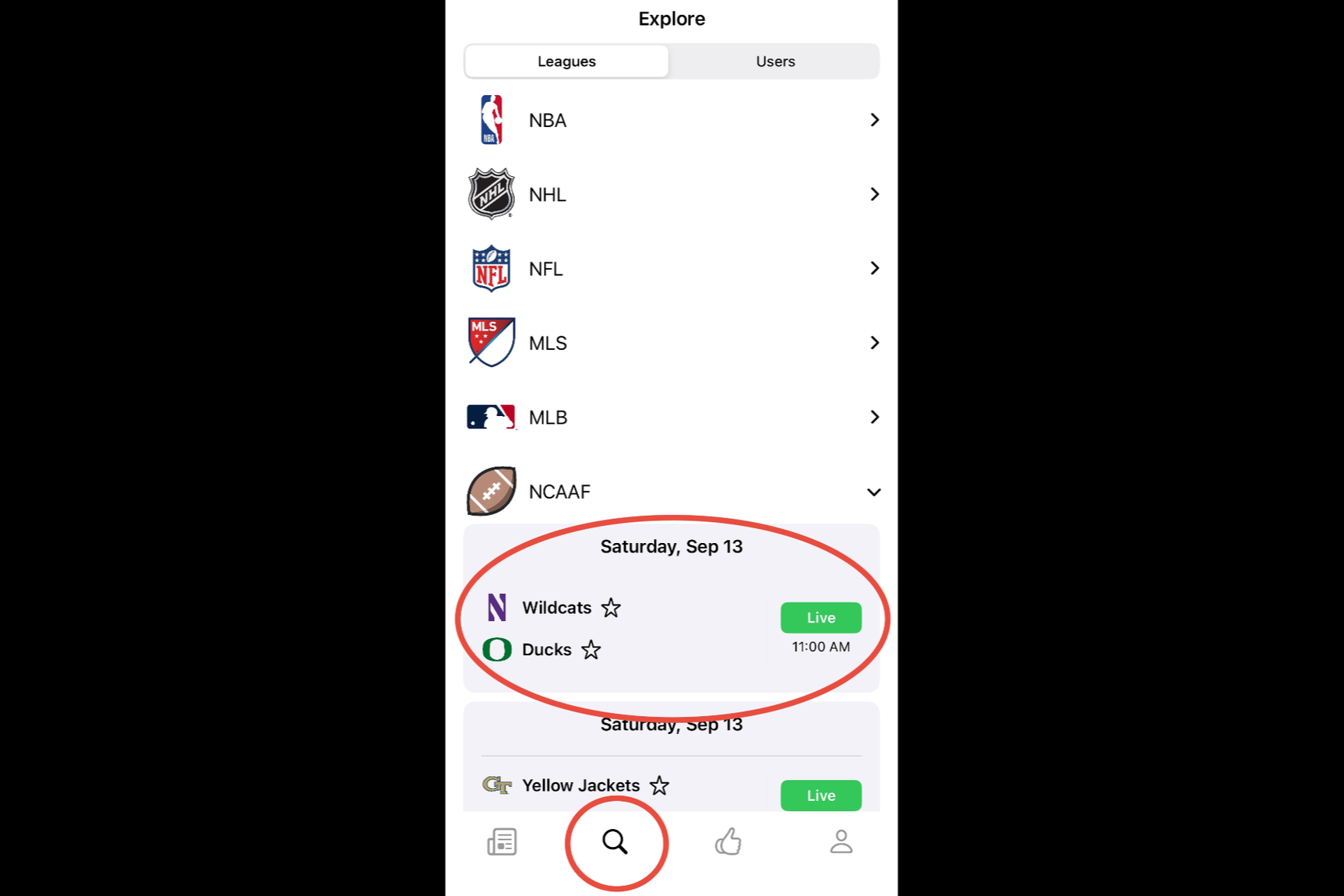
STEP 1: Find Your Event
Use the Explore Tab to find your event. Events will populate leading up to the event start time and remain accessible with various states of news/ticketing interaction.
-
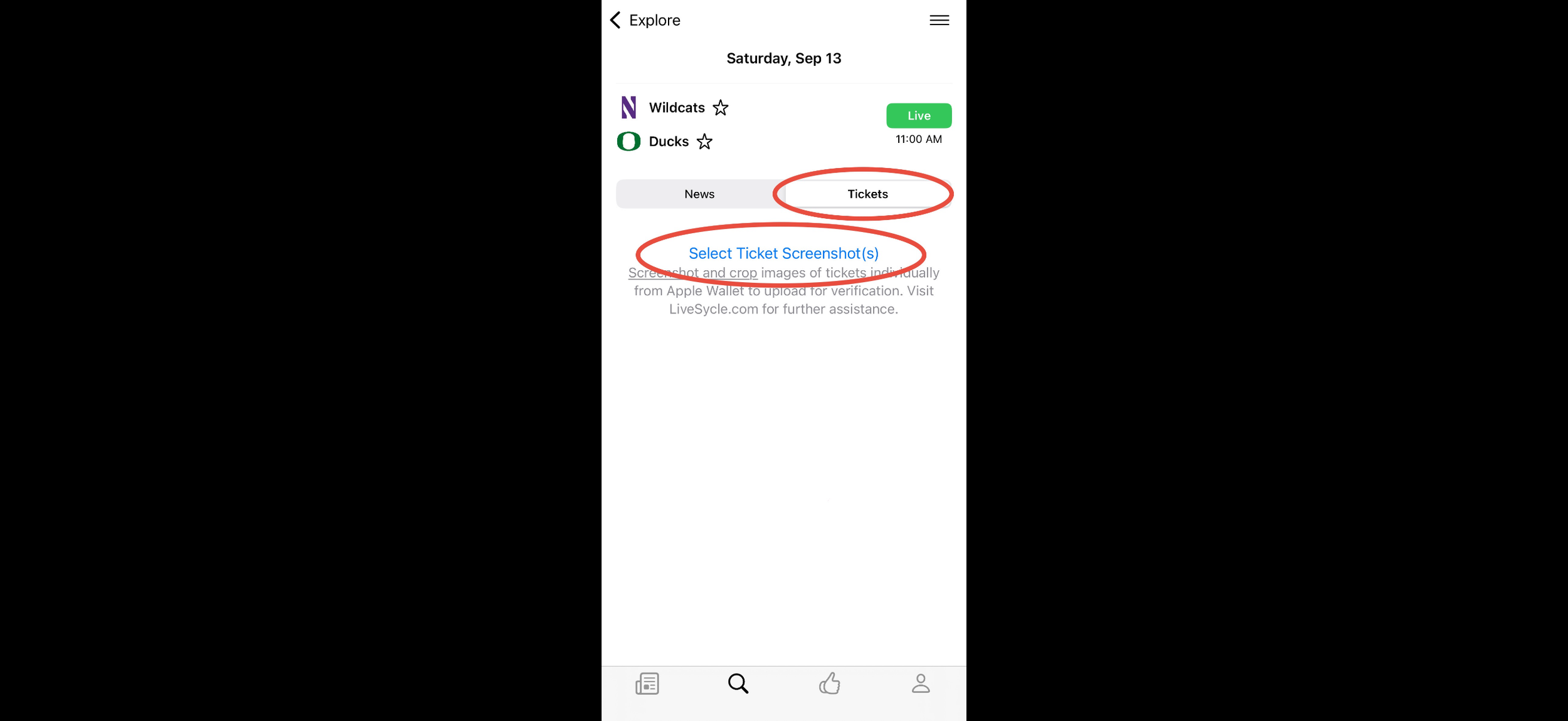
STEP 2: Buy & Sell Upgrades
Users at the event will be able to verify their location and tickets to access the Upgrade Marketplace and get closer to the action! Users not at the event will be able to verify and list their tickets for sale.
-
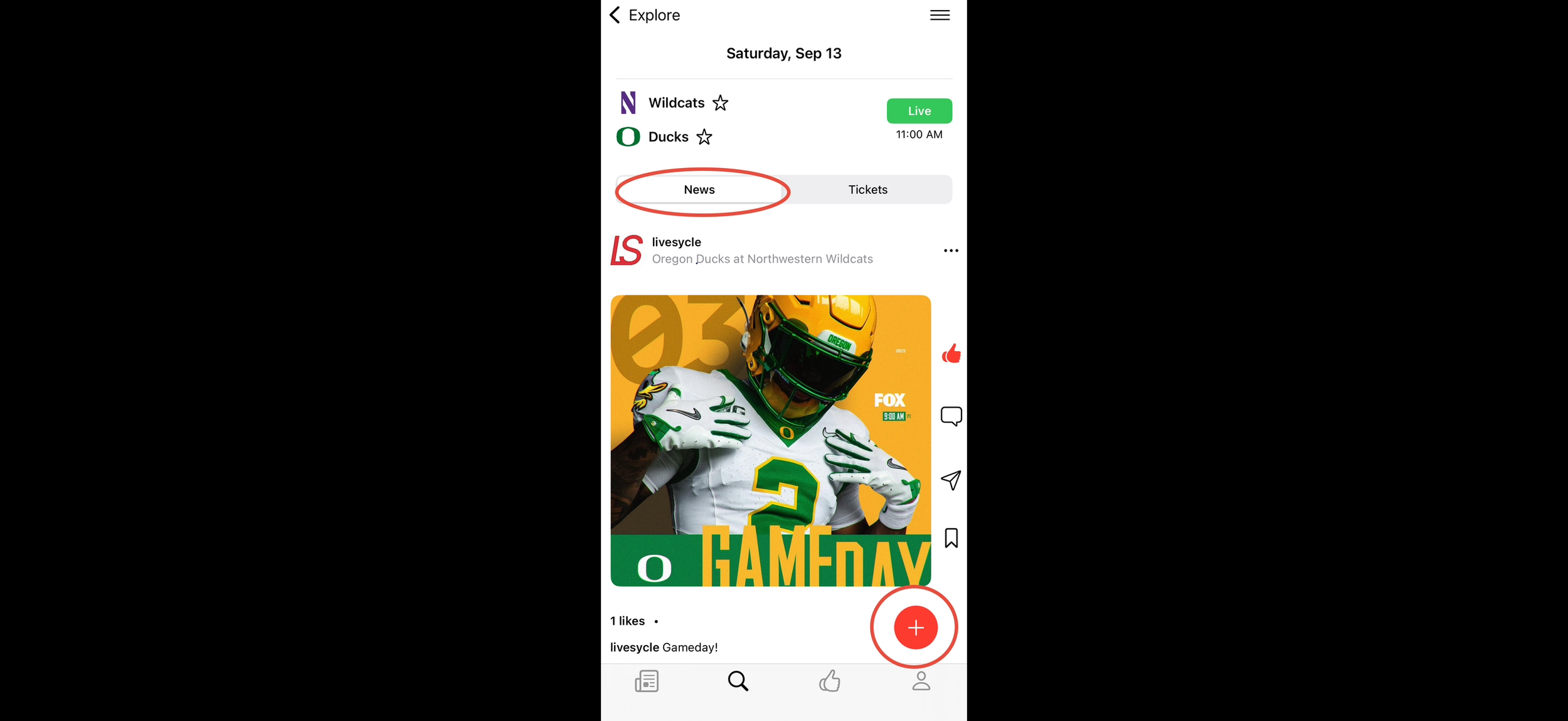
STEP 3: Tell Your Story
Users within and around the event will have the ability to share their experience in real time with the world! Users not at the event will have access to first-hand information on their favorite teams.
How it Works

Ticket Verification
First, save ticket screenshots from your AppleWallet to your Photos library. Then return to the event page within the LS app and click “Select Ticket Screenshot(s)”. Select your saved image(s) from your Photos library and verify accuracy of ticket details before viewing upgrades or listing for sale.
Buy Upgrades
Once your event is underway, search the Upgrade Marketplace for available seats to enhance your experience. Once your upgrade is complete, list your original tickets for sale so other fans can upgrade too!
Sell Upgrades
Can’t make it to the event? Leaving early? List your tickets so others can upgrade their experience. Follow the seamless listing process to add your tickets to the Upgrade Marketplace and adjust your price as necessary to sell your tickets fast!
We encourage people to share their live experiences with others. LS provides additional value for ticket holders through exclusive features that allow them to make the most of their live experience.
Mission Statement


Get Closer!